

- Login as a Collaborator using your email and password as provided.
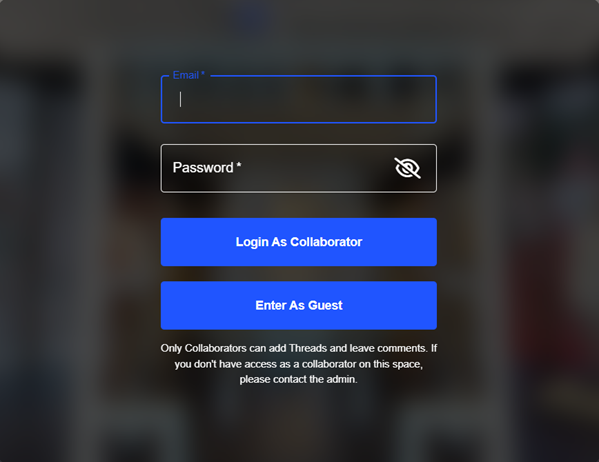
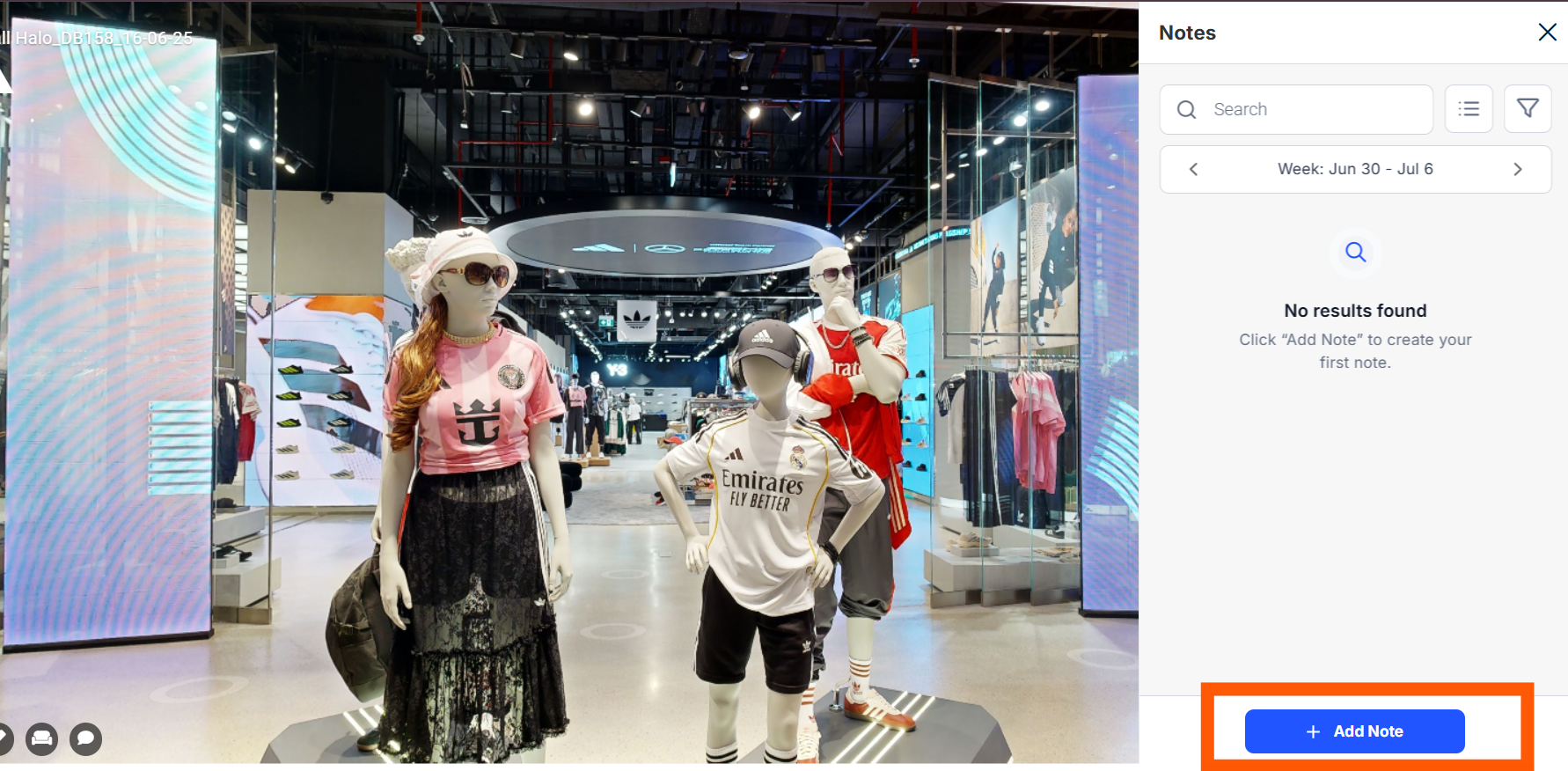
- To add notes, Click on the Notes icon in the tour. Click “+ Add Note” button.
Move to the desired location within the tour , zoom in if necessary .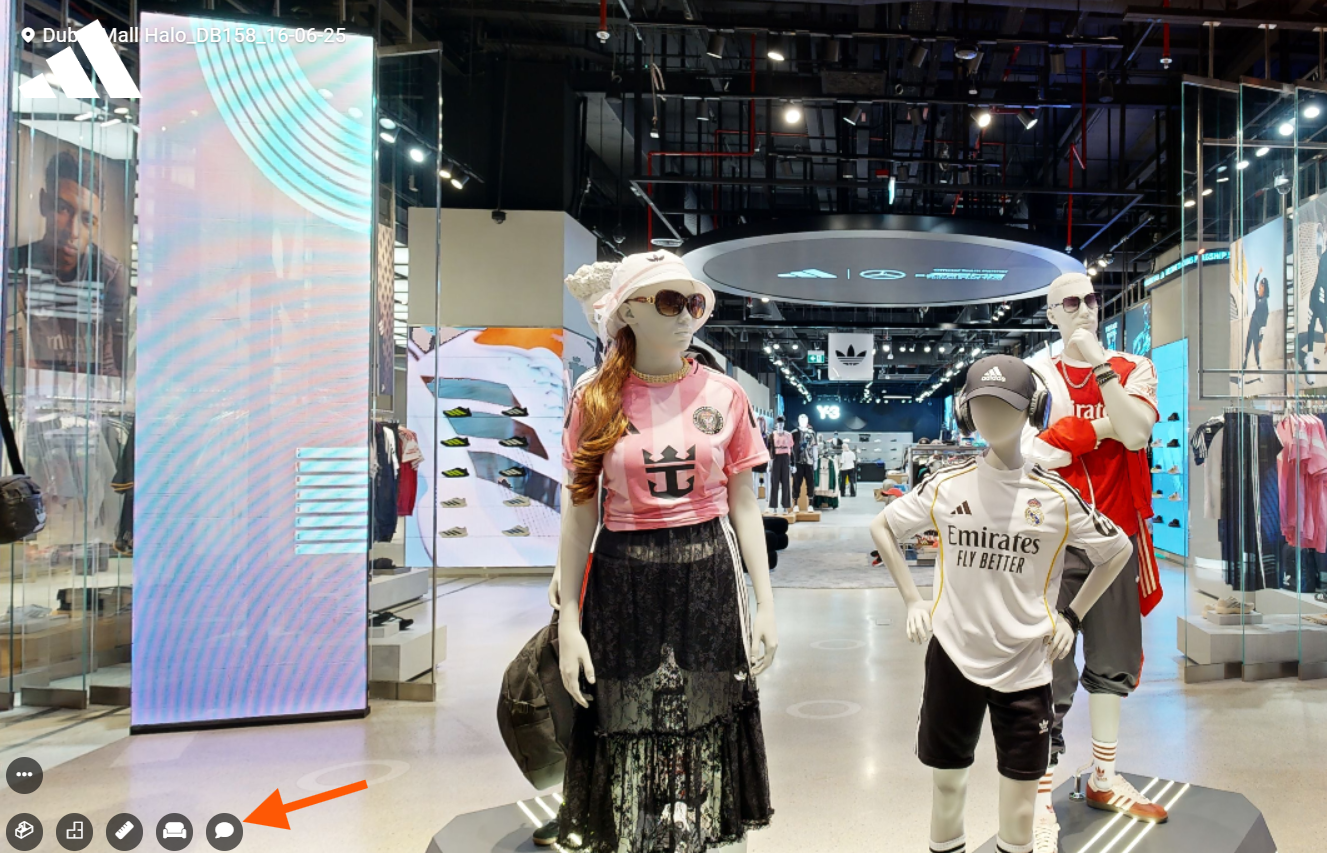
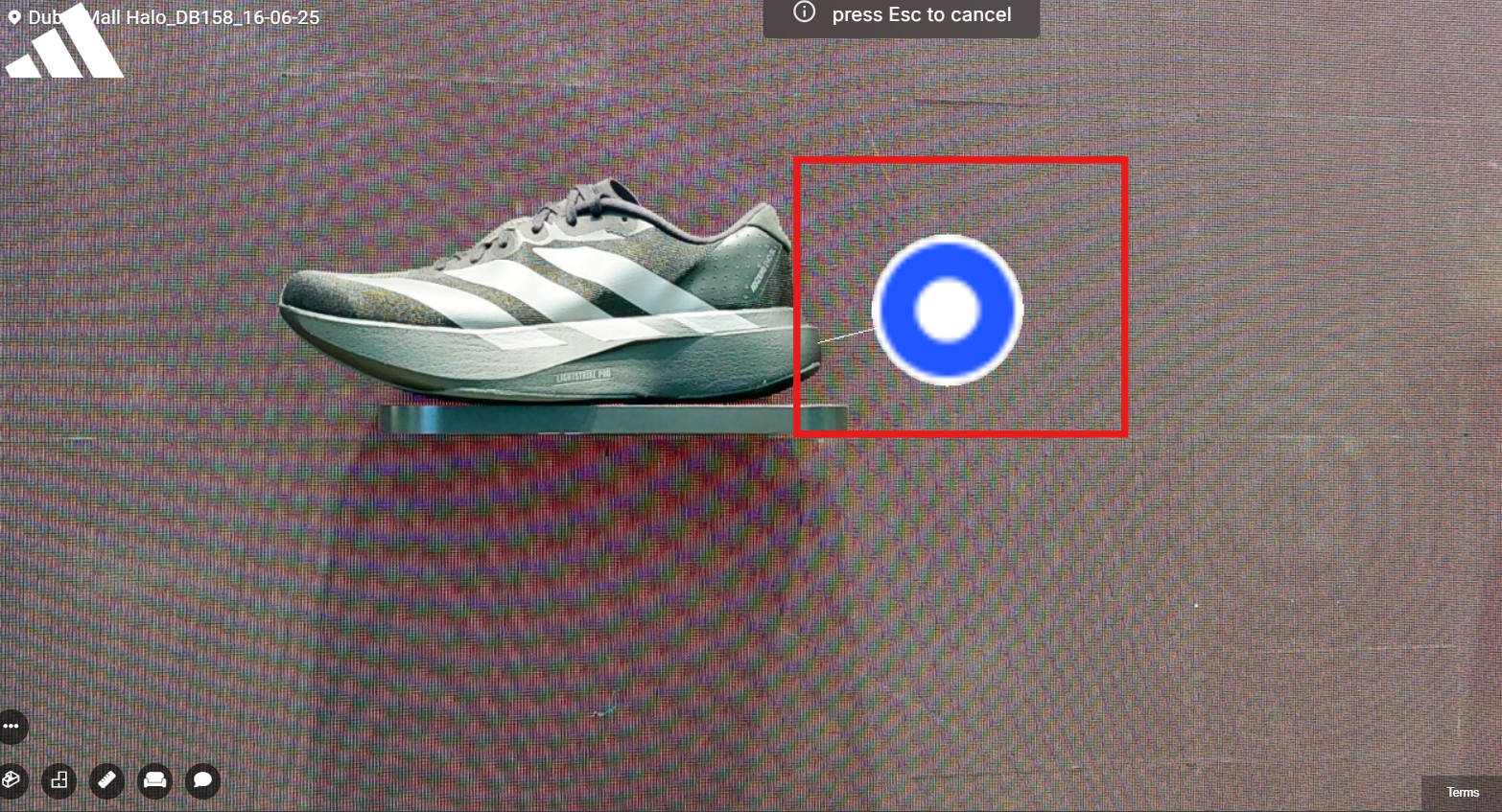
- Zoom in and drag the note to pin it to the exact spot.
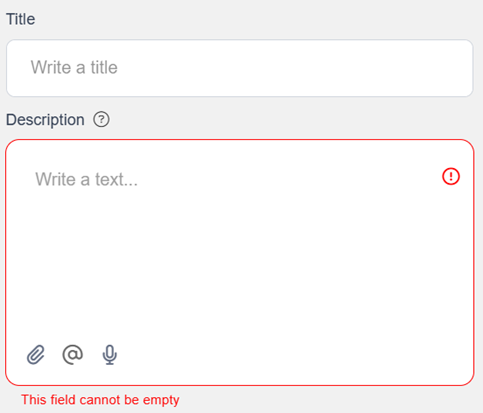
- A text box will appear. Enter a title and a description. And finally after everythings done, click on create.
- For example ,
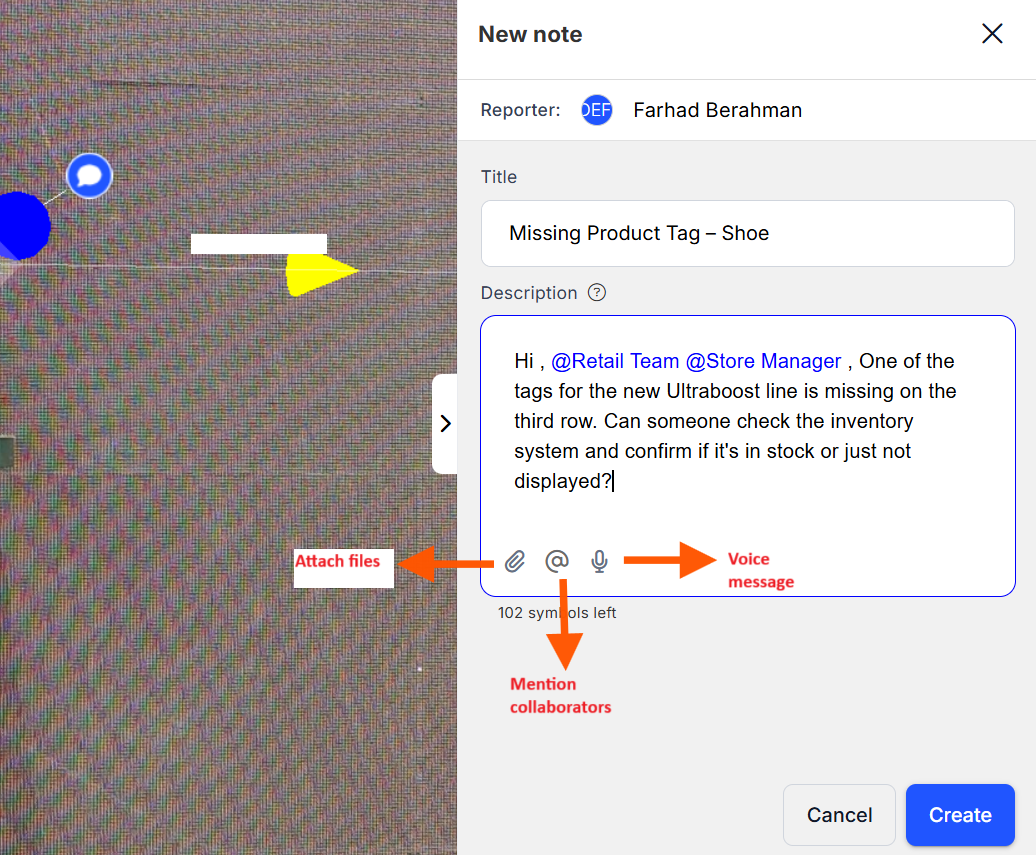
- Optionally, you can:
- Attach images , videos , pdf( less than 20 mb)
- Record voice notes
- Mention collaborators
- In the note description, click on ‘ @’ sign or type @ followed by their name or email.
- A dropdown will appear with users.
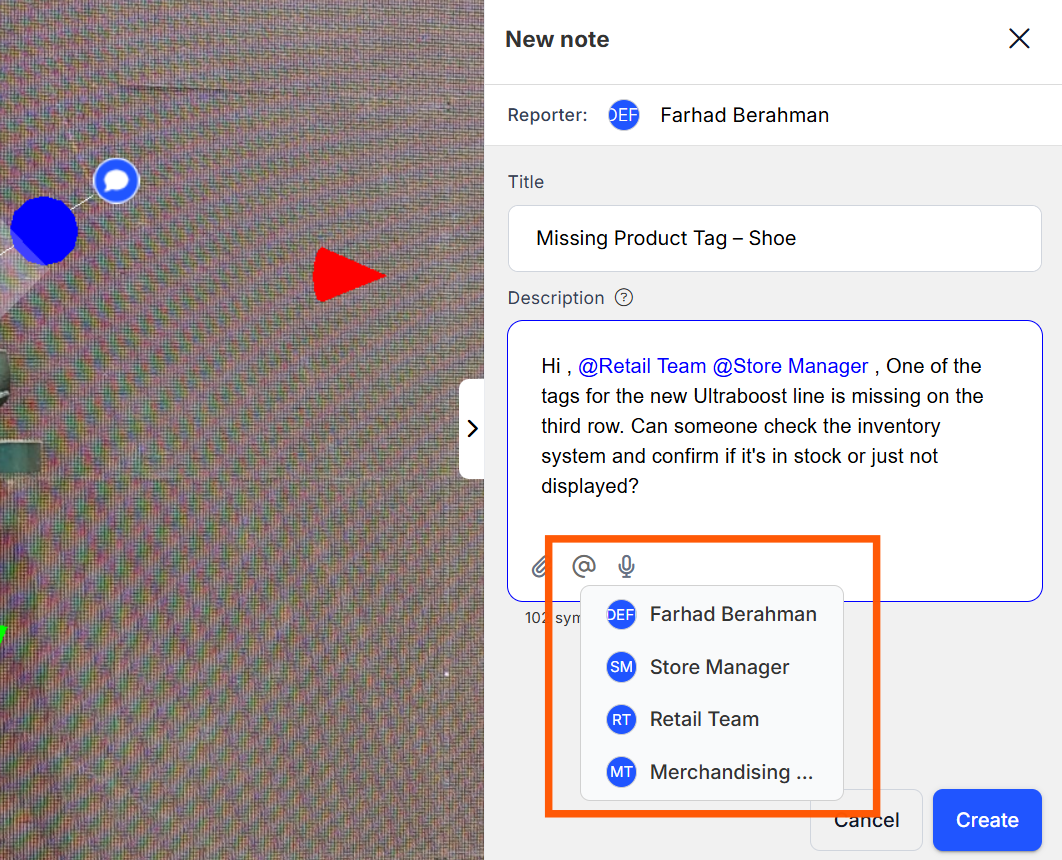
- Click the correct person to tag them. You can mention as much as users you need.
- Click on “Create”
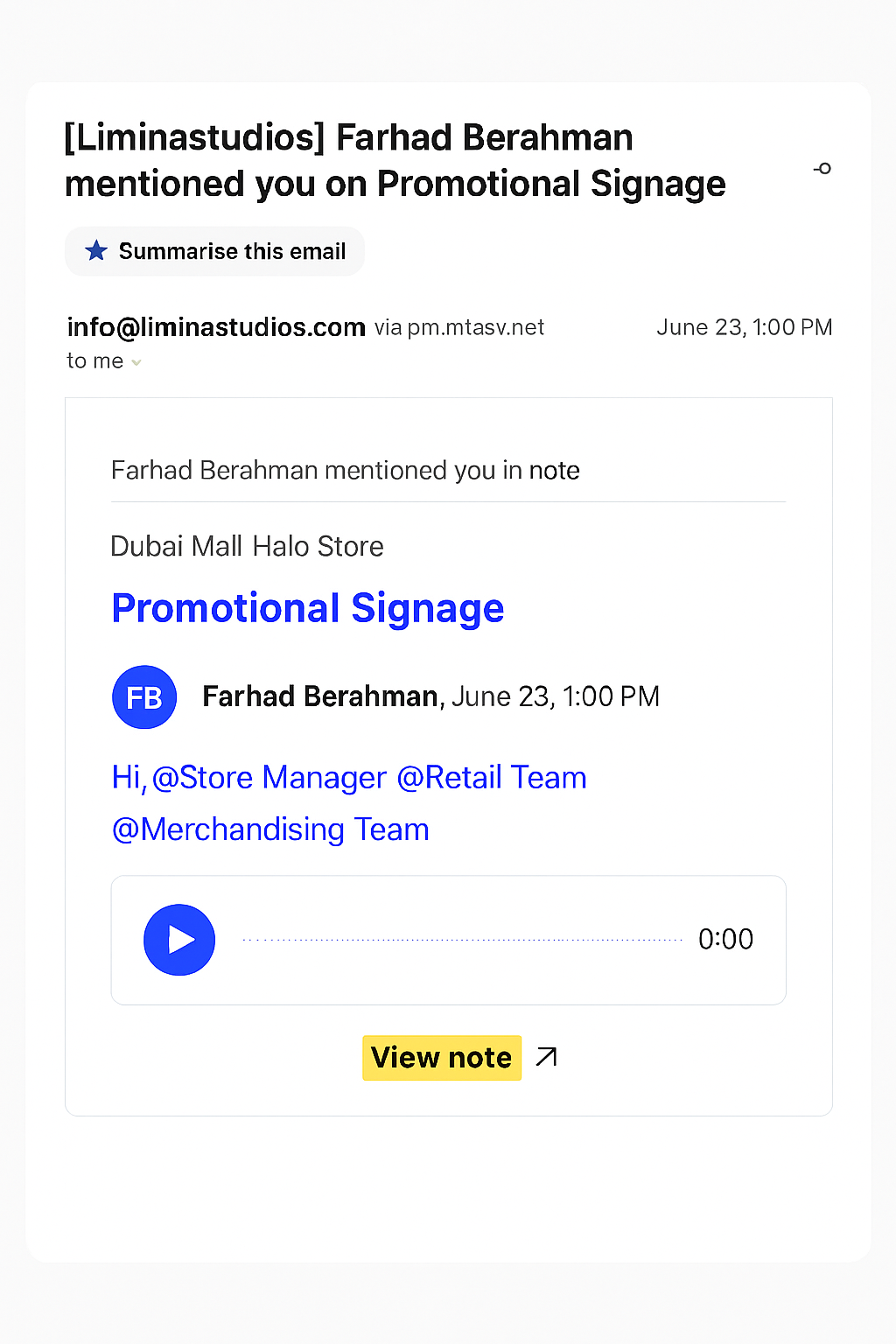
 The mentioned user will receive an email notification like this :
- Clicking on the “view note” will take you to the particular note.
 Make sure to tag collaborators every time if you want them to get notified .