Skip to content
Book a call

Matterport Capture App

1
  • How to Login To Matterport Capture App

Helpful Tips & Guides

6
  • Troubleshoot Common Error Messages
  • Which iPad to Choose ?
  • How to Scan Floors in adidas Store? (General)
  • How To Mark Mirrors in adidas Store?
  • How to Capture a 360° Exterior Photo of an adidas Store ?
  • How to Create a New Job and Name It

Notes and Collaboration

2
  • How to add Notes in an adidas Virtual Tour?
  • How to Manage Notes?

Scanning using iPad or iPhone

7
  • Login To Matterport Capture App
  • How to Create a New Job and Name It
  • How to Scan Using an iPad or iPhone ?
  • How To Mark Mirrors in adidas Store?
  • How to Capture a 360° Exterior Photo of an adidas Store ? (iPad)
  • How to Scan Floors in adidas Store?
  • How to Fix Common Problems When Scanning with iPad?

Scanning using Ricoh Camera

8
  • Login To Matterport Capture App (Ricoh)
  • How to update a firmware on Ricoh camera?
  • How to Create a New Job and Name It
  • How to Connect a Ricoh Theta Z1 Camera to an iPad?
  • How to Scan Using a Ricoh Theta Z1?
  • How To Mark Mirrors in adidas Store?
  • How to Capture a 360° Exterior Photo of an adidas Store ? (Ricoh)
  • How to Scan Floors in adidas Store? (Ricoh)

Tags and Hotspots

1
  • How to Add Tags in Adidas store?
View Categories
  • Home
  • Adidas
  • Scanning using Ricoh Camera
  • How to Scan Floors in adidas Store? (Ricoh)

How to Scan Floors in adidas Store? (Ricoh)

info@liminastudios.com
Updated on October 28, 2025

< 1 min read

This guide applies only to adidas stores with more than one floor. Some locations—like multi-level adidas stores with staircases—require careful scanning. Follow the step-by-step guide below to ensure a seamless transition between floors.

1. Start With the Ground Floor #

  • Begin at the store entrance.
  • Scan the entire floor as you normally would.
  • Ensure all areas are captured before moving toward the stairs.

2. Scanning the Staircase #

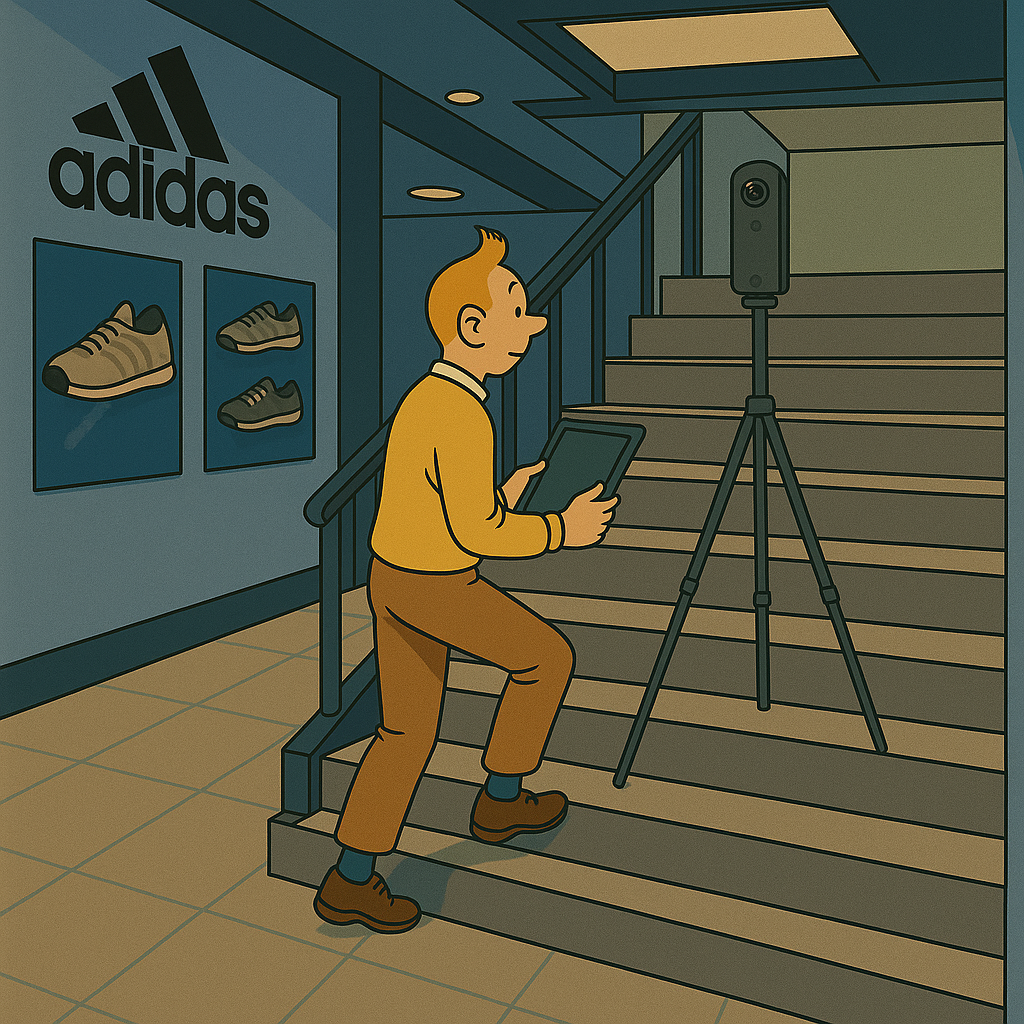
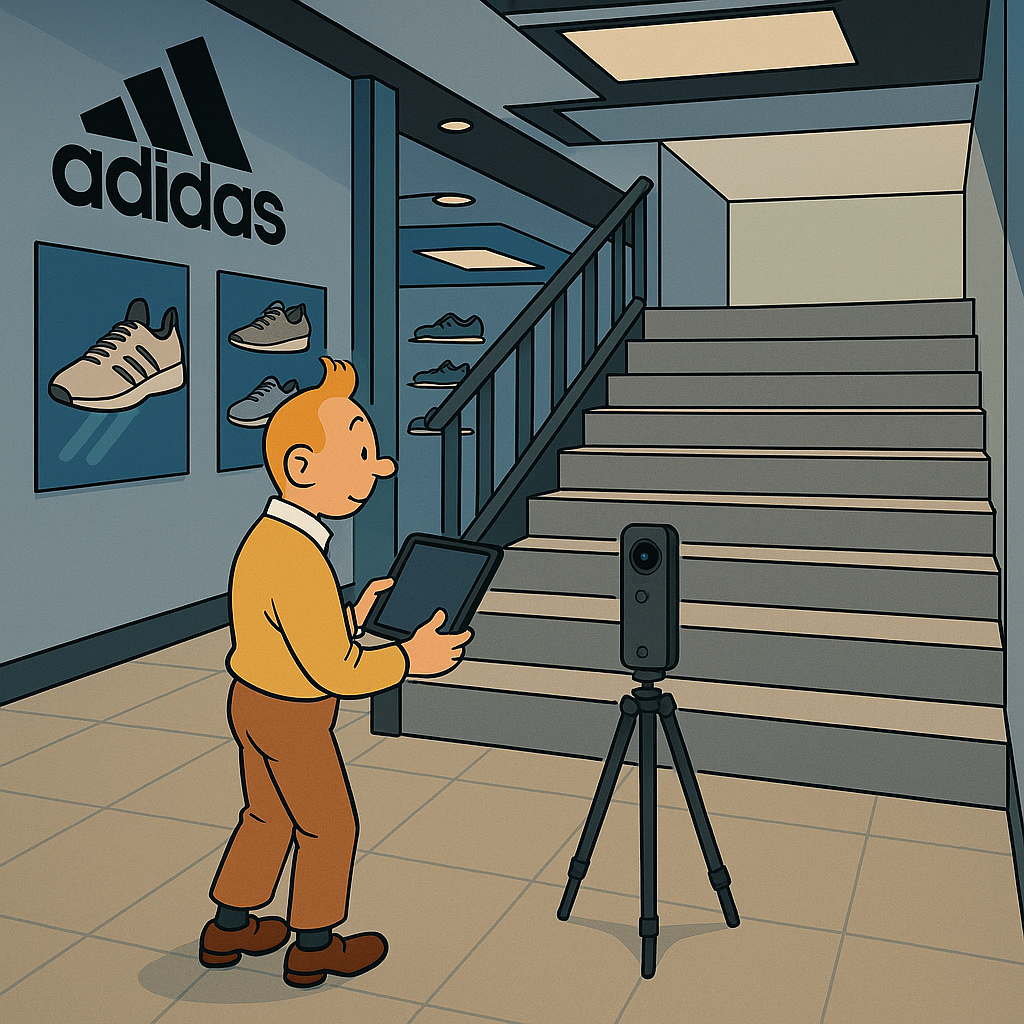
  • Place your Ricoh camera at the base of the stairs .
    Always hide from the camera and start scanning.
    ChatGPT Image Jul 3, 2025, 02_53_32 PM
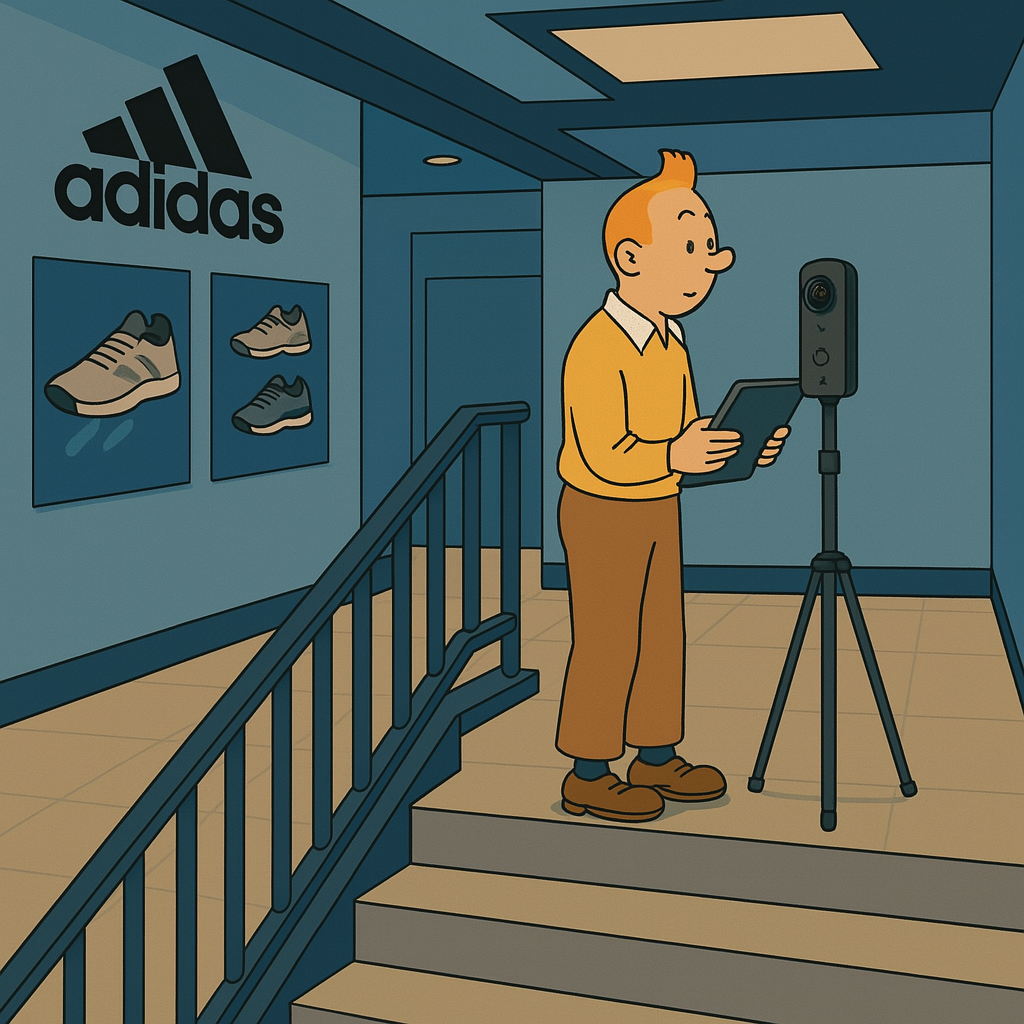
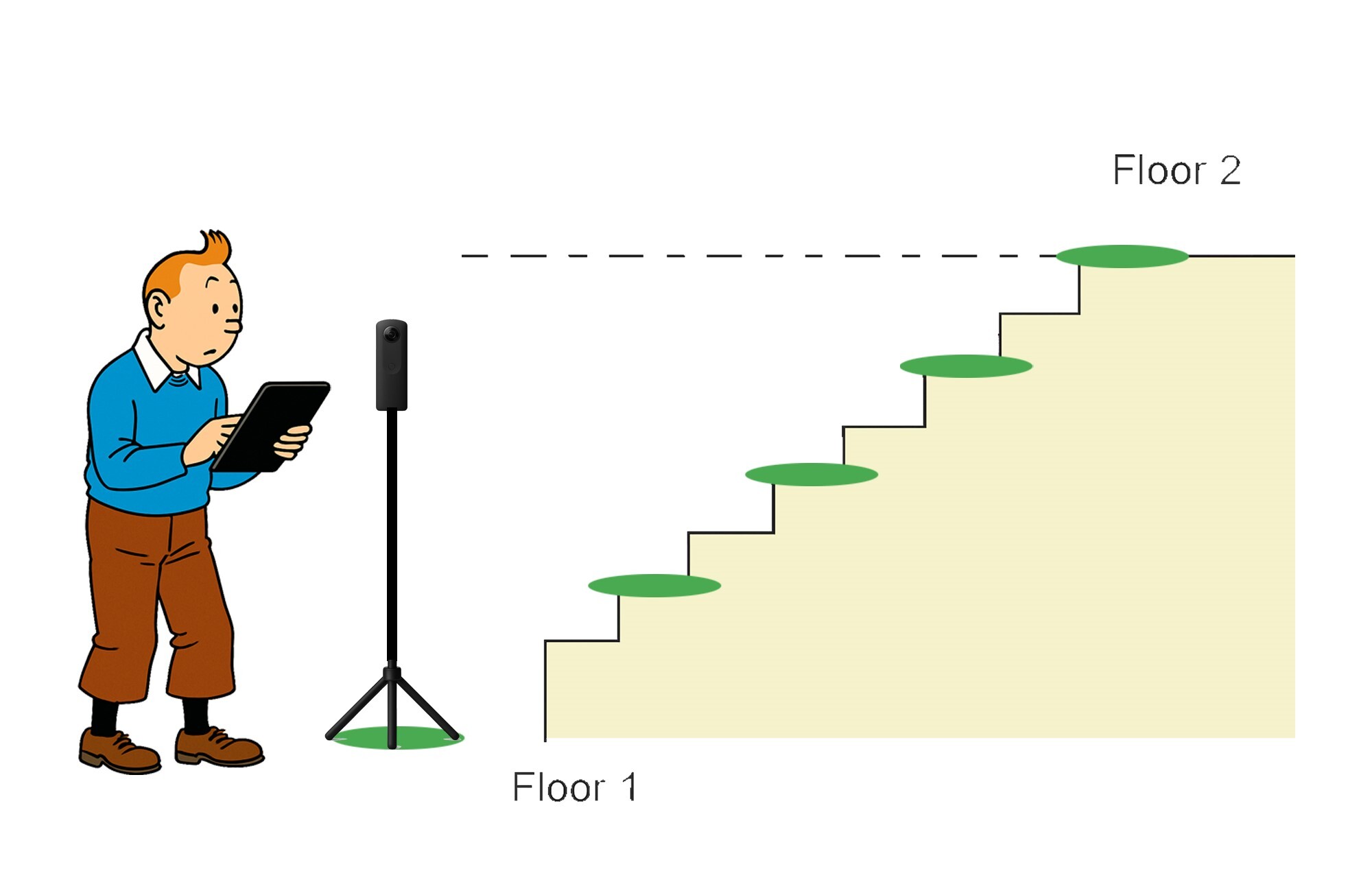
  • Move 3–4 steps up and perform the next scan.ChatGPT Image Jul 3, 2025, 03_05_03 PM
  • Repeat every 3–4 steps until you reach the top.ChatGPT Image Jul 3, 2025, 03_13_21 PM

3. Switching to Floor 2 #

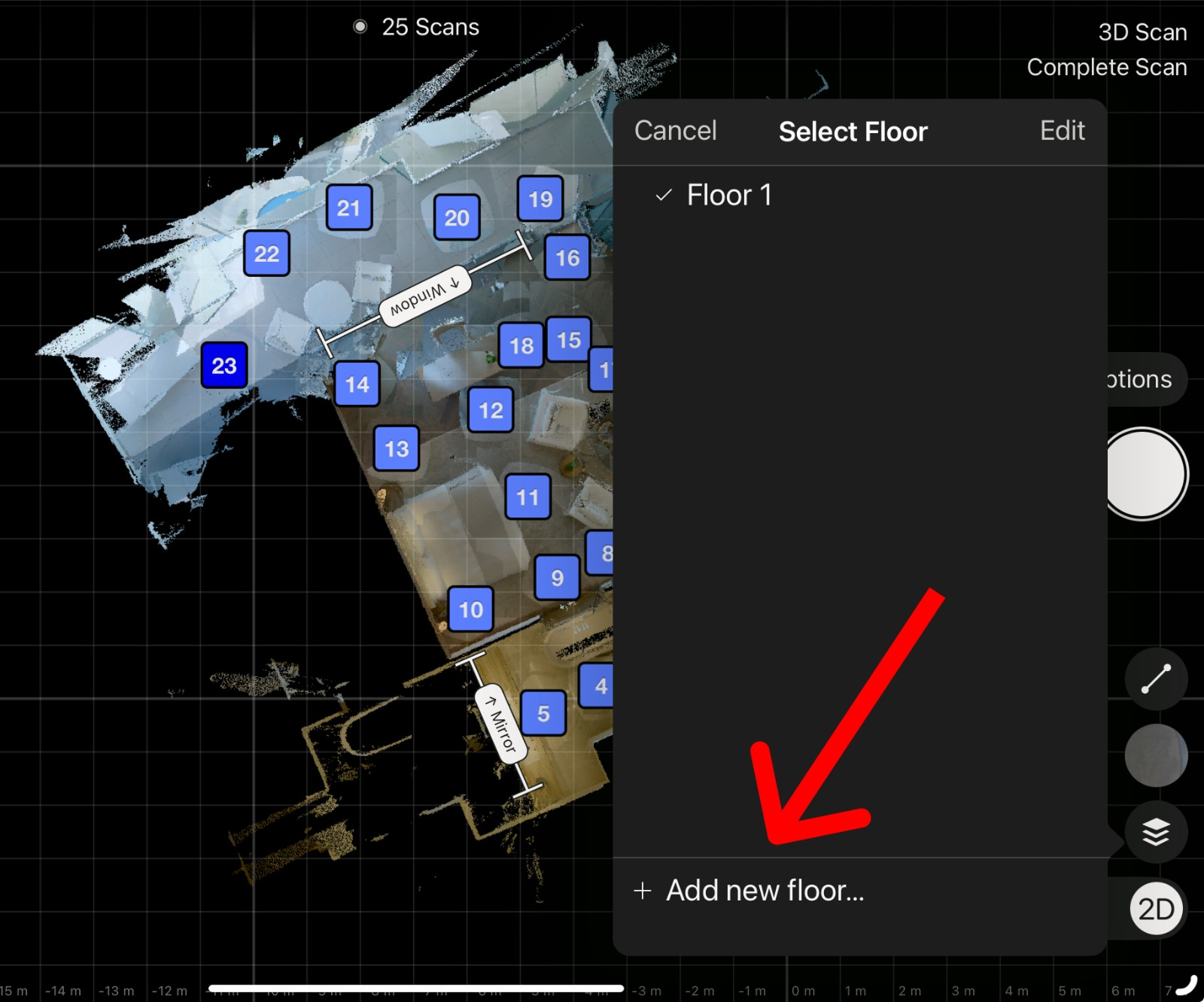
  • Once at the top of the stairs, tap “Select Floor” in the Capture App.
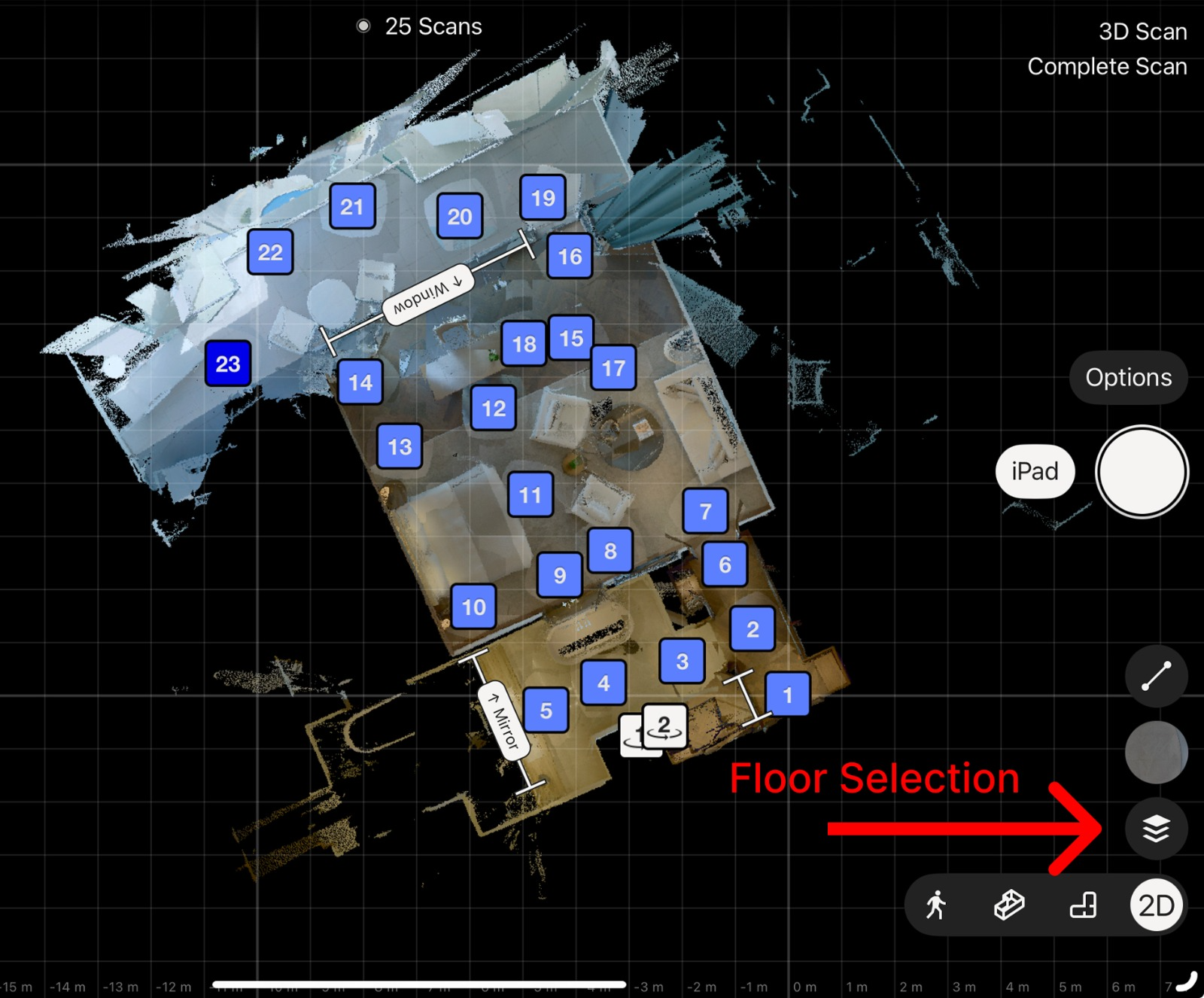
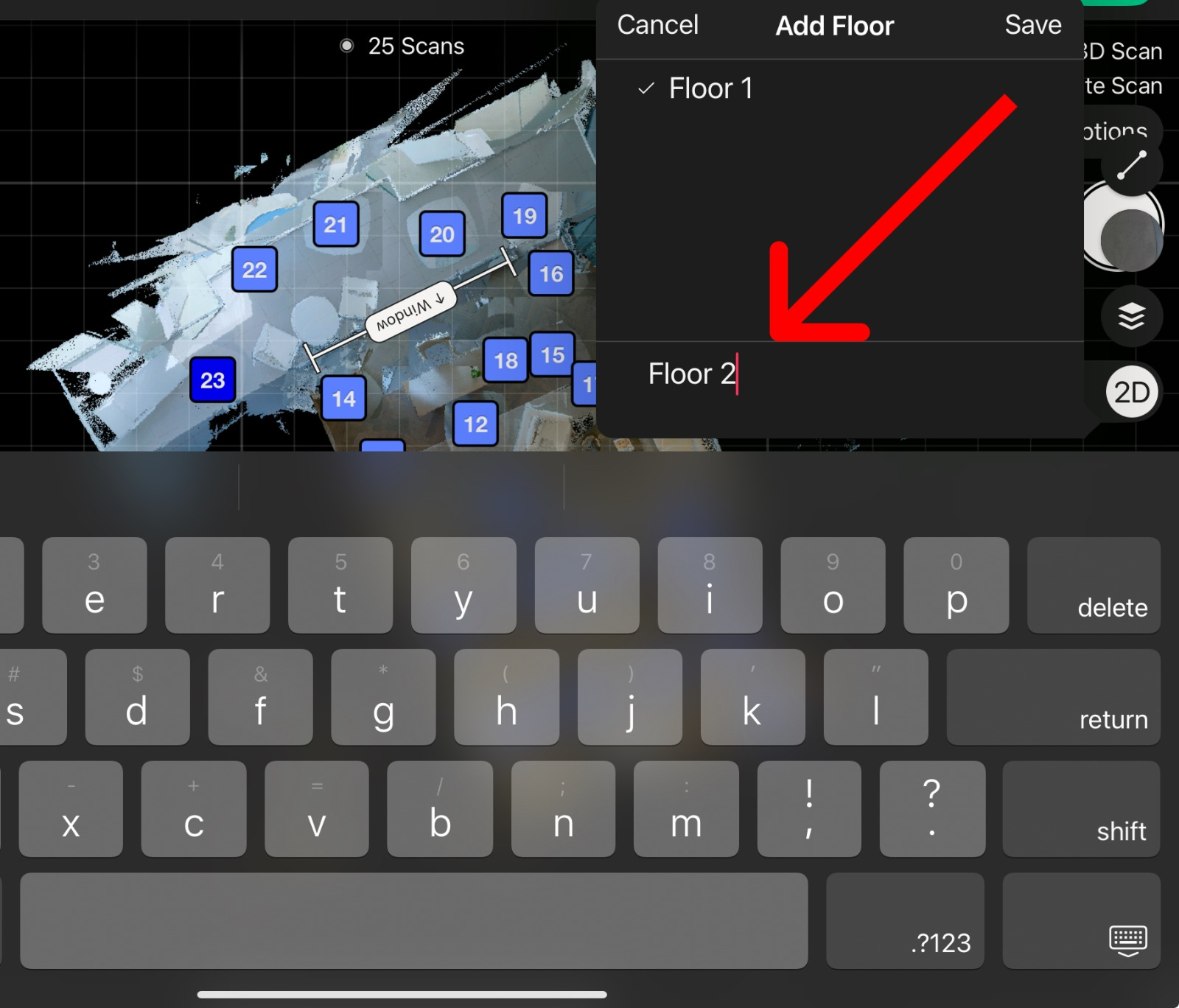
  • Click on “Add new floor” .
  • The 2nd floor number will be automatically added. Click on “Save”
  • Start scanning Floor 2 from the top of the staircase and continue scanning all areas like you normally did for the previous floor.
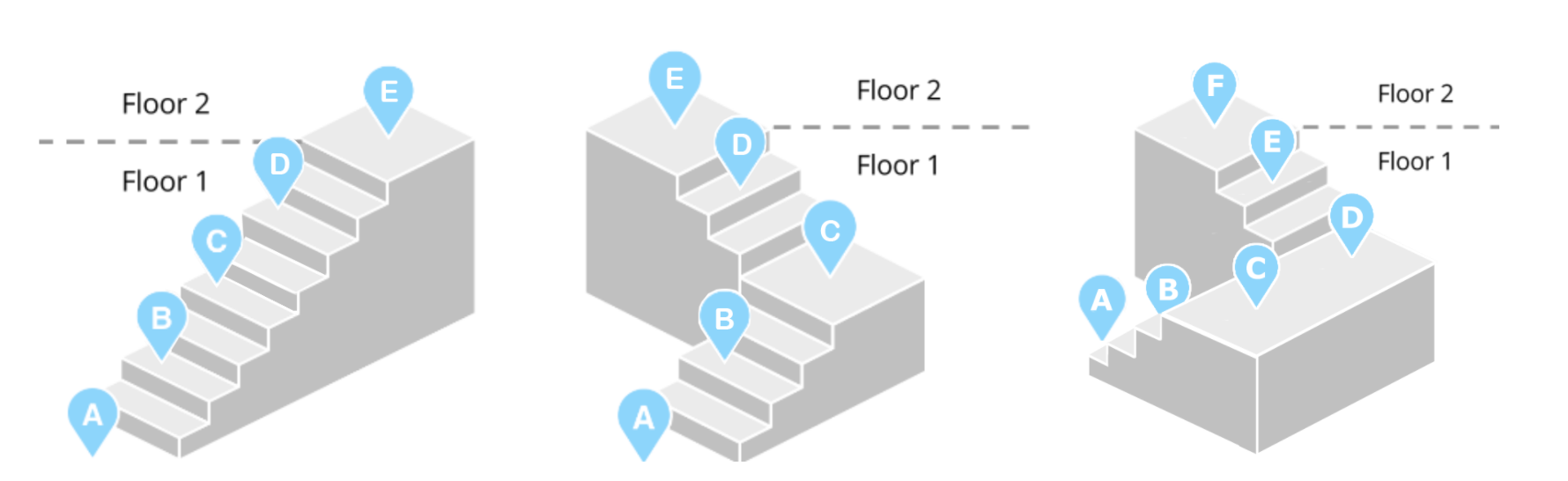
Staircase Layout Examples #

rtaImage (1)

How to Capture a 360° Exterior Photo of an adidas Store ? (Ricoh)Login To Matterport Capture App (Ricoh)

Powered by BetterDocs

Table of Contents
  • 1. Start With the Ground Floor
  • 2. Scanning the Staircase
  • 3. Switching to Floor 2
  • Staircase Layout Examples
  • info@liminastudios.com
  • admin@liminastudios.com
  • +971 52 476 4537
Facebook Globe Instagram Phone-alt Linkedin X-twitter Youtube

Copyright © 2025, liminastudios.com